Multi-Factor Authentication (MFA) Guide: The Digital Shield For Businesses
This October, Cybersecurity Awareness Month highlights the “Core 4” practices that form a strong foundation for online safety:
- Recognizing and reporting scams
- Using strong passwords and password managers
- Enabling multi-factor authentication (MFA)
- Keeping software updated
This week, we’re focusing on multi-factor authentication (MFA)—a straightforward security measure that can block the vast majority of cyberattacks targeting your business.
What Is Multi-Factor Authentication and Why Does It Matter?
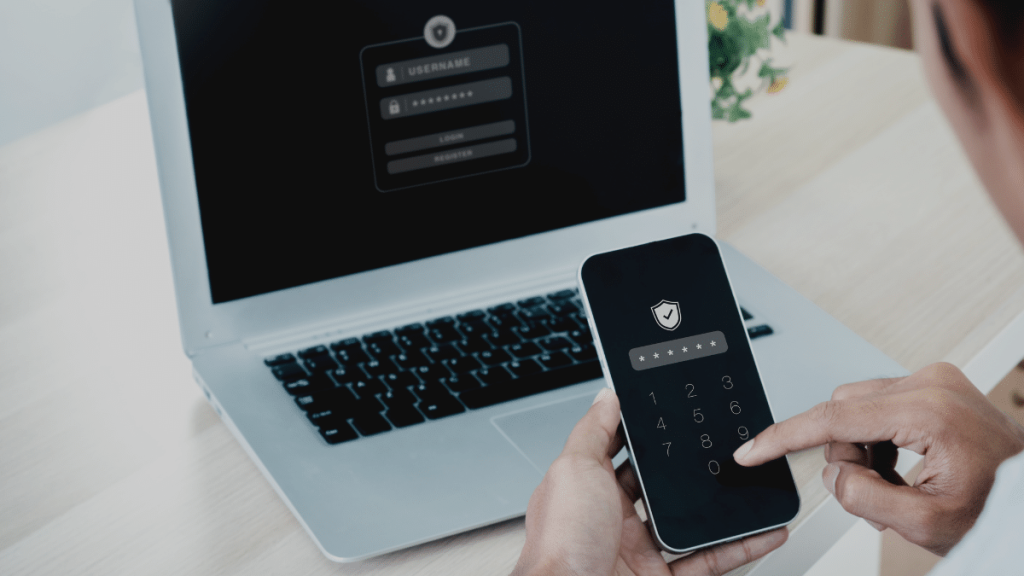
Multi-factor authentication may sound technical, but the concept is as familiar as the security in your daily life. Think of a bank vault: it requires both a key and a combination to unlock. A hotel room might need both a keycard and a PIN. MFA applies this same layered security principle to your digital accounts by requiring two or more forms of proof before granting access.
These authentication factors fall into three categories:
Something You Know
Passwords, PINs, or security questions that exist in your memory.
Something You Have
Physical or digital items you possess: your smartphone, a hardware security key, an authenticator app, or a smart card.
Something You Are
Biometric identifiers unique to you: fingerprints, facial recognition, voice patterns, or even behavioral characteristics like typing patterns.
By requiring multiple factors from different categories, MFA creates a security barrier that remains effective even when one factor is compromised. If a cybercriminal steals your password, they still cannot access your account without the second factor. This explains why Microsoft reports that MFA can stop more than 99% of account compromise attempts (Microsoft, 2024).
For businesses handling sensitive client data, financial transactions, or protected health information, that 99% protection rate isn’t just impressive—it’s essential for maintaining operations, client trust, and regulatory compliance.
MFA Adoption Is Growing—But Not Fast Enough
The positive news is that awareness and adoption of MFA continue to increase. According to recent research by CybSafe and the National Cybersecurity Alliance, 81% of people now understand what MFA is (an 11% increase from the previous year), and 66% are regularly using it to enhance their online security (CybSafe & NCA, 2024).
However, this also means that one-third of people still aren’t using MFA—leaving their accounts vulnerable to simple password-based attacks. For businesses, even one employee without MFA protection can become the entry point for a devastating breach.
The gap between awareness and implementation often comes down to three factors:
- Perceived inconvenience
- Lack of clear guidance on implementation
- Uncertainty about which MFA methods are most appropriate
This is where professional IT consulting services become invaluable—helping organizations deploy MFA strategically without disrupting workflows.
Common MFA Methods: Understanding Your Options
Different accounts and services offer various MFA options, each with distinct security levels and usability considerations:
SMS Text Message Codes
Security Level: Low While popular and easy to use, SMS codes are the least secure MFA method. Criminals can intercept text messages through SIM swapping attacks or SS7 protocol vulnerabilities. Use SMS only when stronger options aren’t available.
Email Verification Codes
Security Level: Low-Medium Similar to SMS in convenience but vulnerable if your email account is compromised. Since email often serves as a recovery method for other accounts, this creates a single point of failure.
Authenticator Apps
Security Level: High Apps like Microsoft Authenticator, Google Authenticator, or Authy generate time-based one-time passwords (TOTP) that refresh every 30 seconds. These work offline and cannot be intercepted like SMS codes, making them significantly more secure.
Push Notifications
Security Level: High Modern authentication systems send approval requests directly to your registered device. You simply tap “Approve” or “Deny” on your phone. These are user-friendly and secure when paired with additional context (like location or device information).
Biometric Authentication
Security Level: Very High Fingerprint scanners, facial recognition, and voice authentication provide both security and convenience. Modern biometric systems store encrypted representations rather than actual biometric data, protecting your privacy.
Hardware Security Keys
Security Level: Highest Physical devices like YubiKey or Titan Security Key provide the strongest protection available. They’re immune to phishing attacks and cannot be remotely compromised. Ideal for administrative accounts, financial systems, and high-value targets.
For business environments, we recommend authenticator apps, biometrics, and hardware tokens as the most secure options. Organizations should avoid relying on SMS-based MFA for any systems containing sensitive data.
How AI Is Making MFA Smarter and More Adaptive
Artificial intelligence is transforming MFA from a simple yes/no gate into an intelligent, adaptive security system that balances protection with usability:
Smart Risk Assessment
AI-powered systems analyze multiple factors in real-time:
- Your usual devices and their security posture
- Geographic location and travel patterns
- Time of day and typical access patterns
- Network security characteristics
- Recent security events or threats
When login attempts match your normal behavior, authentication proceeds smoothly. Unusual patterns trigger additional verification steps. This “step-up authentication” provides security where it’s needed without constant friction.
Behavioral Biometrics
Advanced AI systems learn invisible patterns in how you interact with systems:
- Typing rhythm and speed
- Mouse movement patterns
- Touchscreen pressure and swipe patterns
- Device handling characteristics
This creates continuous authentication that verifies your identity throughout your session, not just at login—detecting account takeovers even after initial authentication.
Real-Time Threat Intelligence
AI monitors global threat feeds and can:
- Identify emerging attack patterns instantly
- Correlate suspicious activities across multiple accounts
- Trigger automatic lockdowns when coordinated attacks are detected
- Provide security teams with actionable alerts prioritized by risk
This intelligence helps MFA systems adapt to new threats without requiring manual policy updates, keeping your business protected against zero-day attacks and rapidly evolving tactics.
How Cybercriminals Are Attacking MFA
Unfortunately, as MFA adoption increases, cybercriminals are developing more sophisticated techniques to circumvent it. Understanding these attack methods helps you choose the right defenses:
Adversary-in-the-Middle (AitM) Attacks
Attackers create fake login pages that capture both your password and MFA code in real-time, then immediately use them to access the legitimate site. These phishing attacks can defeat SMS codes and authenticator apps but are blocked by hardware security keys.
Voice Cloning and Deepfakes
Using AI, criminals can clone voices after hearing just a few seconds of audio. They impersonate executives, IT staff, or trusted colleagues to request MFA codes or approval. These social engineering attacks exploit human trust rather than technical vulnerabilities.
MFA Fatigue Attacks
Attackers bombard victims with dozens or hundreds of authentication requests (push notifications) hoping victims will eventually approve one just to stop the notifications. This exploits user frustration and works surprisingly often against tired or distracted employees.
SIM Swapping
Criminals convince mobile carriers to transfer your phone number to a device they control, allowing them to receive your SMS-based MFA codes. This highlights why SMS should not be used for business-critical systems.
Session Hijacking
Even after legitimate MFA authentication, attackers can steal session cookies or tokens to gain access without triggering MFA again. This emphasizes the importance of short session timeouts and continuous authentication monitoring.
Awareness of these sophisticated attacks makes it even more critical to implement phishing-resistant MFA methods and comprehensive cybersecurity services that monitor for these attack patterns.
MFA Best Practices for Business in 2025
To maximize your organization’s protection, implement these evidence-based practices:
1. Prioritize Phishing-Resistant Methods
Deploy hardware security keys or FIDO2-compliant authentication for all administrative accounts, financial systems, and sensitive data access. These methods cannot be defeated by phishing attacks.
2. Enforce MFA Universally
Require MFA for all employees, not just certain roles. Attackers often compromise lower-privilege accounts first, then escalate. Create policies that prevent MFA bypass under any circumstances.
3. Implement Risk-Based Authentication
Use adaptive MFA that adjusts requirements based on context. Routine access from known devices might require only one factor, while unusual access patterns trigger additional verification.
4. Train Employees on MFA Security
Educate your team about:
- Never sharing MFA codes with anyone, including IT staff
- Recognizing MFA fatigue attacks and reporting them
- Understanding that legitimate MFA prompts only appear when you’re actively logging in
- Proper handling of hardware tokens
5. Establish Backup Authentication Methods
Register multiple MFA devices for each user. If someone loses their primary phone, they should have an alternative method available to prevent lockouts while maintaining security.
6. Protect Critical Accounts First
Start with your highest-value assets:
- Email systems (often the keys to password resets)
- Banking and financial accounts
- Administrative and privileged access accounts
- Customer data systems
- Cloud infrastructure management
7. Monitor and Audit MFA Usage
Regularly review:
- Which accounts have MFA enabled
- Failed authentication attempts
- Unusual authentication patterns
- Fallback to weaker MFA methods
For organizations without dedicated security staff, managed IT services provide continuous monitoring and management of MFA systems, ensuring policies remain effective as threats evolve.
Compliance and Regulatory Considerations
Many industries now mandate MFA as part of compliance frameworks:
- HIPAA (Healthcare): Required for systems accessing electronic protected health information (ePHI)
- PCI-DSS (Payment Cards): Mandatory for all systems processing cardholder data
- CMMC (Defense Contractors): Required at multiple maturity levels
- GDPR (European Data): Recommended as appropriate security measure
- SOC 2 (Service Providers): Essential for trust service criteria
Failing to implement appropriate MFA can result in audit failures, regulatory fines, and increased liability in breach situations. Professional guidance ensures your MFA implementation meets both security needs and compliance requirements.
The Business Case for MFA Implementation
Beyond compliance, MFA delivers measurable business value:
Reduced Breach Risk: 99% reduction in account compromise attempts translates directly to fewer incidents, lower remediation costs, and protected reputation.
Lower Insurance Premiums: Many cyber insurance policies now require MFA or offer significant discounts for implementing it.
Increased Client Confidence: Demonstrating strong security practices wins more business, especially in healthcare, legal, and financial services.
Reduced Help Desk Costs: While it seems counterintuitive, proper MFA implementation actually reduces password reset requests and account recovery incidents.
Competitive Advantage: Security-conscious clients increasingly require vendors to meet minimum security standards including MFA.
Take Action: Implement MFA Today
Multi-factor authentication is one of the most effective security controls you can deploy—and it doesn’t have to be complicated or disruptive. A few extra seconds at login could save your business from a devastating breach that costs hundreds of thousands in remediation, lost revenue, and reputational damage.
The question isn’t whether your business can afford to implement MFA—it’s whether you can afford not to. With 99% of account compromises preventable through MFA, every day without it leaves your organization unnecessarily vulnerable.
Ready to implement enterprise-grade MFA across your organization?
Contact Wolff Logics today to discuss the right MFA solution for your business needs. Our experienced team serves organizations throughout Austin, Dallas, Houston, and San Antonio with comprehensive security implementations that protect your assets while maintaining operational efficiency.
We’ll help you:
- Evaluate your current authentication methods
- Select appropriate MFA technologies for different use cases
- Deploy MFA systems without disrupting operations
- Train your team on proper MFA usage
- Monitor and maintain MFA effectiveness over time
- Ensure compliance with industry regulations
Don’t let stolen passwords become your business’s downfall. Let us help you build the layered security defense your organization deserves.